Recent Posts

Recent Posts Widget
Showing posts with label Oman. Show all posts

Sunday, July 9, 2017

How to Recharge Omantel Ooredoo Friendi Renna Online


Many of us struggling mobile top up online in Oman. Bank Muscat app allows recharge Omantel and Oredoo only. Friendi allows online recharge facility through their website not via app (as now).

But is it a good idea where all top up can be in one android app. Yes now its available in Oman.

Cover art

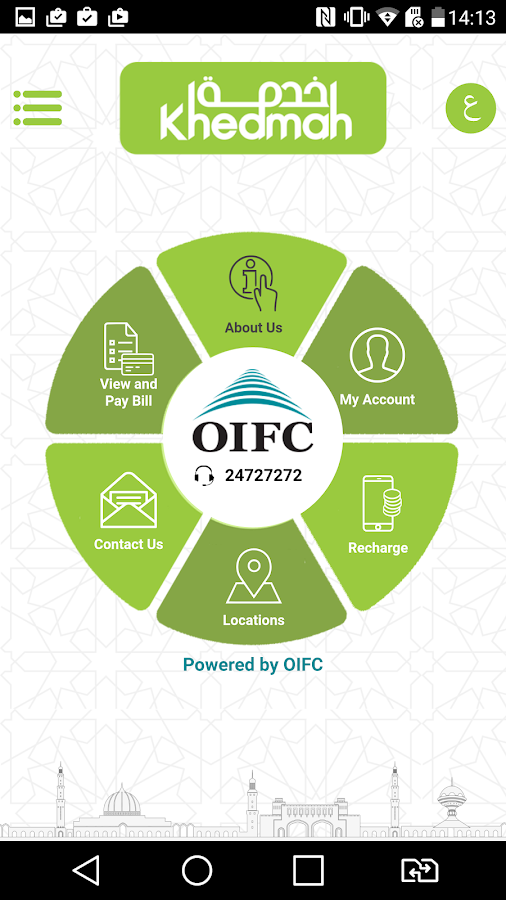
OIFC - KHEDMAH

CONVENIENCE AT YOUR FINGERTIPS
Khedmah Mobile App – powered by Oman Investment & Finance Co. (OIFC).

Khedmah mobile app offers easiest and fastest way to manage, view and pay Electricity and Water bills of Muscat Electricity Distribution Company and Public Authority of Electricity & Water for the Muscat Governorate and post paid telecom bills of Omantel & Ooredoo. 

The application allows customers to recharge/top up pre-paid telecom numbers of Omantel, Ooredoo, Renna & Friendi. 

Enquire real time outstanding for all utility and telecom services and perform payment.

This feature packed application facilitates customers with additional functionality to create their own profile to manage utility and telecom accounts and obtain monthly bills electronically. Users can also locate our branches and bill payment machines spread over the country. 

Summary:
View and Pay Bills Online for
Electricity – MEDC
Water – PAEW
Ooredoo (Nawras)
Omantel
Mobile
Internet
Landline
Online Recharge / Top up
Omantel
Ooredoo
Renna
Friendi 
Create your own Profile 
Manage all Utility & Telecom Accounts
View Locations 
Branches
Bill Payment Machines

How to Top up via OIFC-KHEDMAH App


  • Download app from play store
  • Enter your number to get OTP verified
  • Go to Recharge menu
   OIFC - KHEDMAH- screenshot
  • Select the >>Network provider>> Enter the mobile number >> Top up amount>> Submit
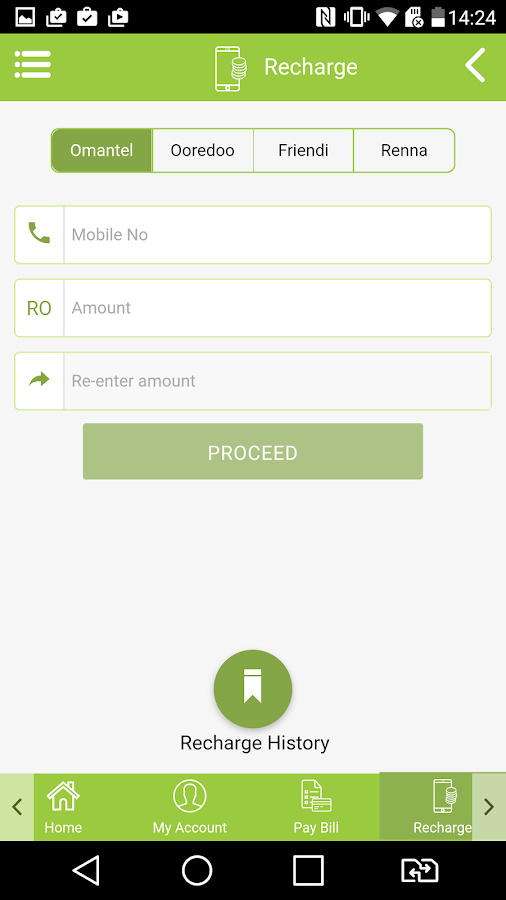
   OIFC - KHEDMAH- screenshot
  • Enter your name and other details registered with your bank
  • Enter Card details. Both Credit/Debit card will work with this app.
  • You will get receipt via SMS and Email.

Key Words

How to recharge top up nawras onine
How to recharge top up ooredoo onine
How to recharge top up oman mobile onine
How to recharge top up hayyak onine
How to recharge top up friendi onine
How to recharge top up renna onine
How to pay OIFC electricity bill

Sunday, July 2, 2017

Anti Gavity Hill Salalah, Oman. The Secret Unrevealed

Introduction

In my childhood somewhere in the Children Magazine I read about the Anti-Gravity Hill in Salalah, Sultanate of Oman. When I got an opportunity to visit this place; besides number of attractions, I was very much enthusiastic to visit Anti-gravity area. In the world hundreds of anti-gravity hills are out there. But Salalah is easy access to me.

Procedure


The exact place of antigravity hills located at Mirbat and is little far from Salalah city. I put my car in the bottom of the hill where the slope is starting. Its looks like around 30 degrees of height. I put car in neutral position and loosen the brakes. Amzingly it starts moving. I only controls the steering wheel and never touched in the brakes or accelerator. Car constantly getting acceleration and when reached on the top of the hill it was running at a speed of 35-40 km/hr.

Many people along with me enjoyed the ride.


Are you curious about what is actually happening?

Some people believes there is a magnetic attraction in that place, some believes it’s a zero gravity place (gravitational effect on this place is zero). Some strongly believes it’s the play of demons (or sahthan), so they warned me not to go to that place.

I read about many articles related to anti-gravity hill scientific explanations and Optical illusion strikes on my mind (though it was unbelievable to me)

Optical Illusion:

If you see one object; our brain will calculate its position by comparing the positions of surrounding objects. So in this area actually what we are seeing the slope is not ascending but its descending. That means due to optical illusion our brain tell us that this is ascending slope. In reality the object is moving as usual descend of slope.


My Experiment

Application Used: My Tracks (android)

If anti-gravity is due to optical illusion the level of the hill must be altered, ie., the top of the hill must be bottom of the hill.

I was enough prepared to exclude or prove optical illusion. For that I have pre-installed My Tracks app on my android phone. This app will give accurate measurement of elevations with the help of GPS.


I recorded hill track while the car moving automatically towards the height. Then I check the elevation. The result was unbelievable. According to the data from the app the ascend of  hill what we see is not actually ascending, but it is descending.


The start position (lowest position of hill) is around 75m height from sea level. While car moves the elevation declines and it stop at the top of the hill. At that position the elevation is 60m from sea level.

So what we see is ascending hill; is actually descending hill about 15m height and 300m distance.

Oh my God, don’t believe on your eyes, always.

For testing this experiment I am sharing this app too.

Please refer the track I recorded. You can import this track to google earth.

There is another simple method you can try. Use Water Level Indicators.

This is Unbelievable and one of the most interesting phenomenon in the world. If you got a chance to visit these kinds of places please do not give up that chance.

CONCLUSION: THE ANTI GRAVITY PHENOMENON AT SALALAH IS ONLY AN OPTICAL ILLUSION.


Key Words
Salala
Antigravity
Khareeb season
Anti gravity hills


Sunday, November 1, 2015

How to Get Visa Verified Password for Bank Muscat Debit Card

For online purchasing using Bank Muscat Debit Card you are required to Register your Visa Debit Card to get VISA VERIFIED PASSWORD. Before proceeding you should have

1. Bank Muscat Debit Card (For Card Number, Security Code and Name of Card Holder)
2. E-mail ID Registered to your BM Account.
3. Your Resident Card. (For ID Number)

Click the link and follow instructions for Registration.


If you forgot the Visa Verified  Password; follow instructions :

1. Open link
2. Enter Card Number and Submit
3. Go to Account Management


4. Click on Forgot Password link and follow instructions


If you have any queries or problems with Registration contact call centre +968 24795555